
Keep your Mac quick with a few safe routines

Most slowdowns come from too many things starting at login and from routine tasks nobody runs. Mac Sai puts them in one place and keeps an eye on your Mac from the menu bar.

Download Mac Sai, free Version 1.32.0, 19 MB. macOS 14 or later.
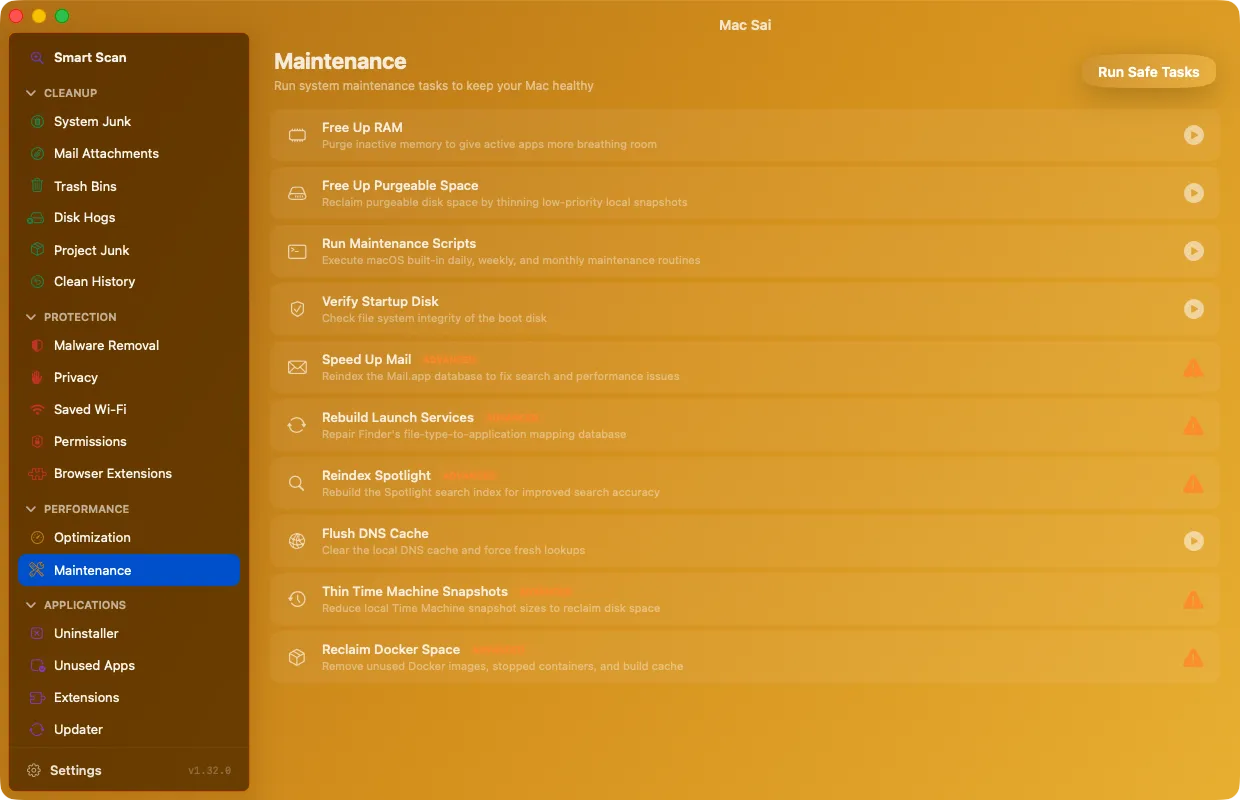
Mac Sai Maintenance tasks such as free RAM, flush DNS and reindex Spotlight

Login items and launch agents

Optimization lists what starts with your Mac and lets you turn each item on or off.

Maintenance tasks

Each task is tagged by how much it changes, and Run Safe Tasks runs them in order, asking for your password once.

  • Free up RAM and flush the DNS cache
  • Run macOS maintenance scripts
  • Verify the startup disk
  • Rebuild Launch Services and reindex Spotlight
  • Thin Time Machine local snapshots

A live monitor in your menu bar

CPU, memory, disk and battery in four rings, plus network speed, uptime and swap. It suggests what to clean when caches grow and can alert you when the disk runs low or memory pressure stays high. Alerts are opt-in.

Questions

Does freeing RAM make my Mac faster?

Sometimes, briefly. macOS manages memory well on its own. Freeing RAM helps most after a heavy app quits and memory pressure stays high. The menu bar monitor shows you when that happens.

Why does maintenance ask for my password?

Some tasks, like verifying the disk or flushing DNS, need administrator rights. Mac Sai asks for your password once per run instead of once per task.

Give your Mac a fresh start

Free, signed and notarized by Apple. It opens like any other app, with no warnings and nothing to configure.

Download Mac Sai Version 1.32.0, 19 MB
Or install with Homebrew: brew install --cask mac-sai